H1

From Fragmentation to Consistency: Building a Fintech Platform Design System

H3

Company

p

Inyova

H3

Company

p

Inyova

H3

Company

p

Inyova

H3

Role

p

Product Designer

H3

Role

p

Product Designer

H3

Role

p

Product Designer

H3

Responsibilities

li

Design system strategy & architecture
UI audit & pattern consolidation
Component design & documentation
Cross-platform foundations & tokens
Dev collaboration & Storybook integration

H3

Context

p

To bring consistency, scalability, and efficiency to Inyova’s product design, I led the creation of a cross-platform design system used across web and mobile. This system replaced a fragmented UI with a unified library of 60+ accessible, dev-ready components—improving the design-to-dev handoff, reducing QA effort, and unlocking space for creativity. The system is now a living asset, continuously evolving to support Inyova’s growth.
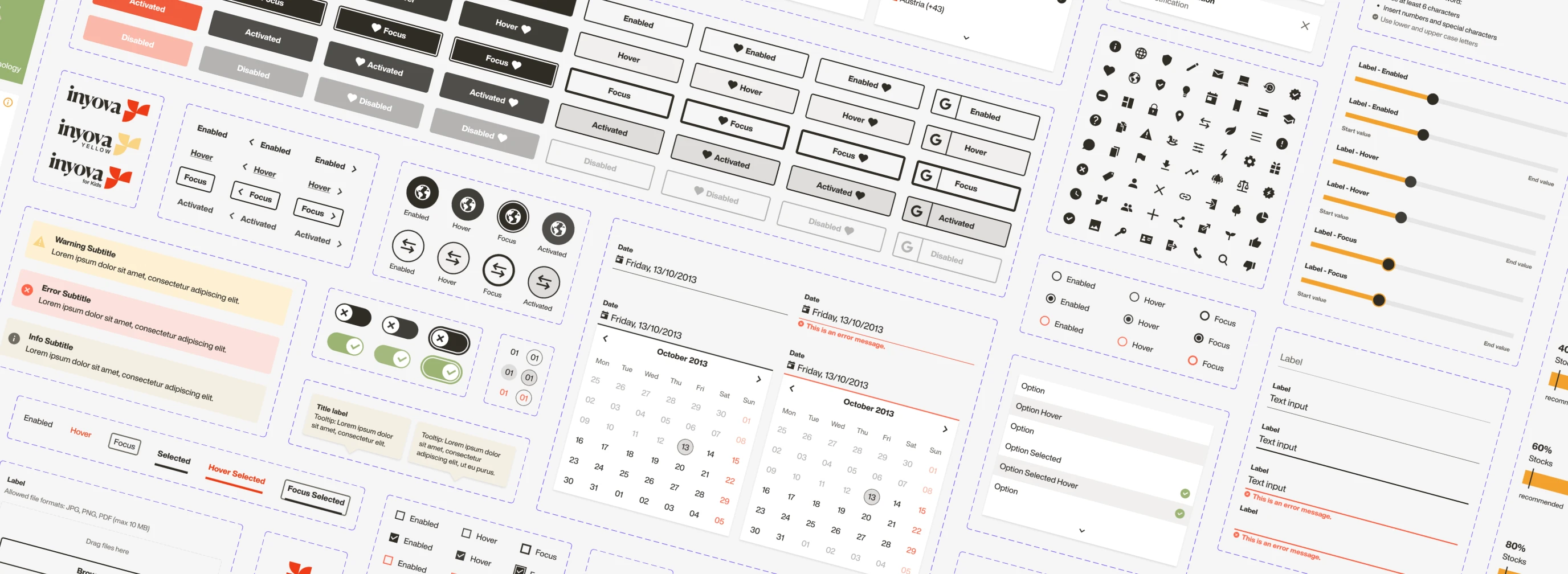
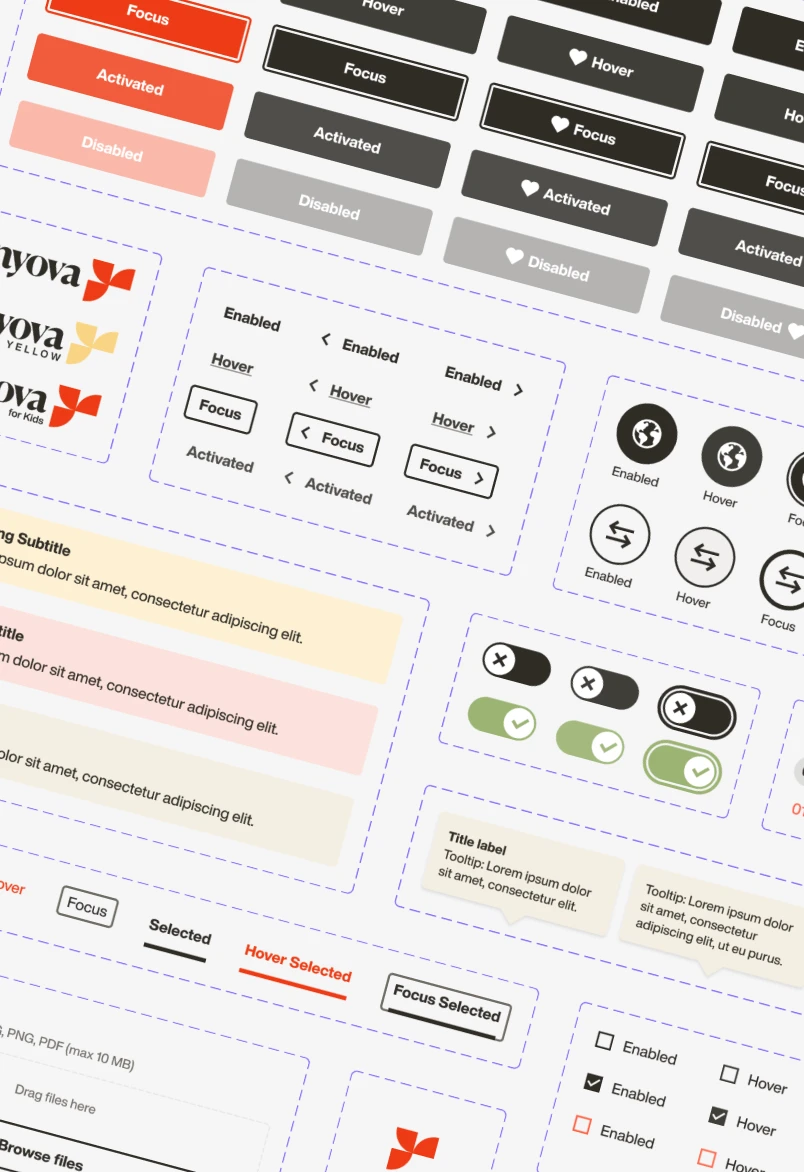
Overview of the Inyova design system, showcasing core UI components and patterns used across web and mobile.
H2

Challenge

p

The Inyova platform is a sustainable investment product, where trust and clarity are essential to the user experience. However, the UI suffered from inconsistent patterns across teams. Designers were building similar components differently, and developers implemented variations without a shared source of truth. This fragmented approach slowed product delivery, introduced visual bugs, and made onboarding new designers and developers time-consuming and error-prone — while also risking users’ confidence in the product.

H2

Objective

p

Establish a comprehensive design system to:

ul
  • Improve visual and behavioral consistency across the platform

  • Streamline the workflow between designers and developers

  • Reduce time spent on repetitive tasks

  • Ensure accessibility standards are met

  • Empower teams to build with quality and speed
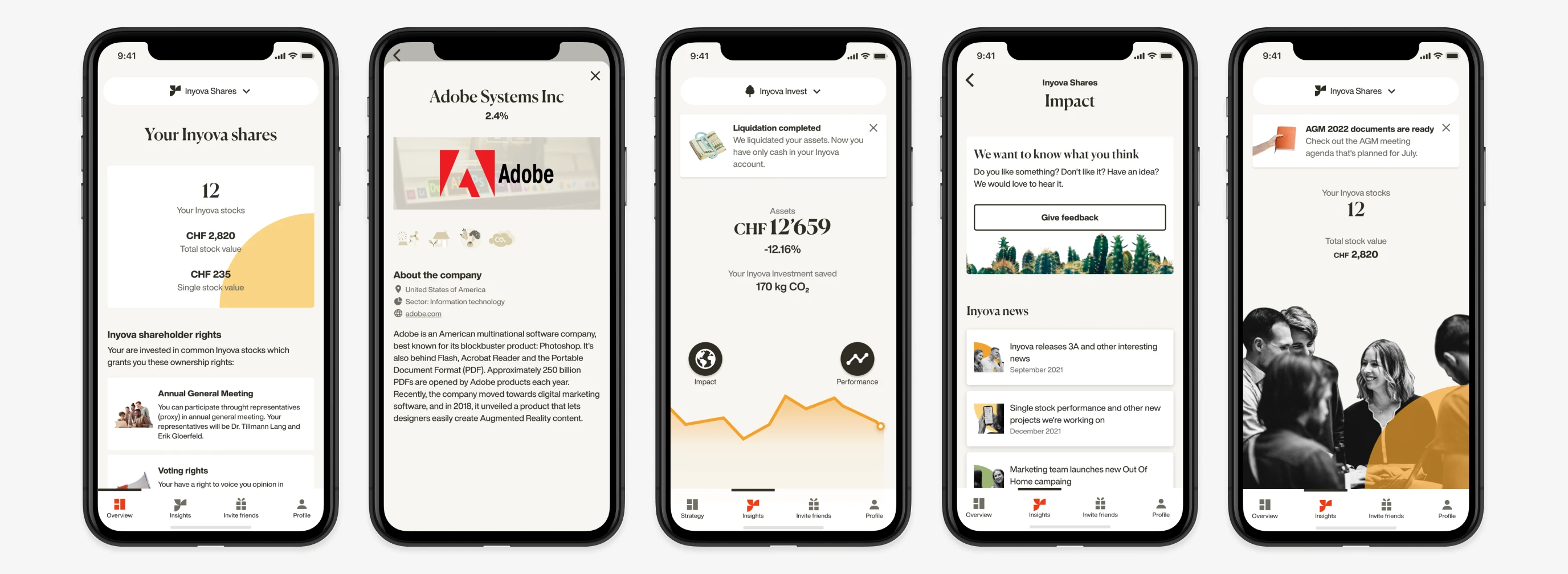
Selection of Inyova mobile app screens showing UI patterns across the product.
H2

Audit & Foundations

p

 We began with a full audit of existing designs to understand inconsistencies. This led to the creation of fundamental building blocks:

ul
  • Typography: Defined font sizes, weights, and responsive behavior

  • Color system: Created accessible color tokens for themes and states

  • Grid & spacing: Established layout rules and spacing scales

  • Iconography: Standardized icon usage and sizes

  • Interaction principles: Set guidelines for hover, active, focus, and disabled states
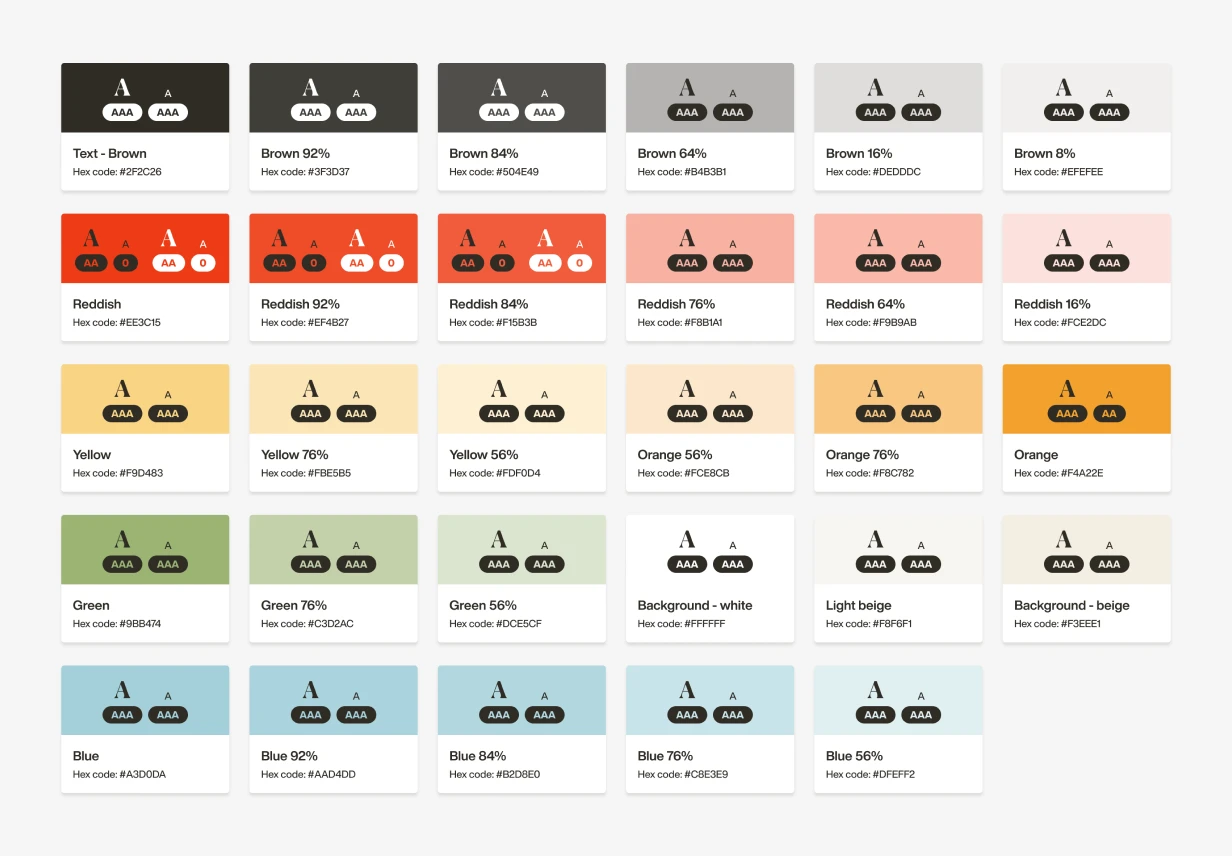
Inyova design system color palette with accessibility contrast examples, showing light and dark text usage.
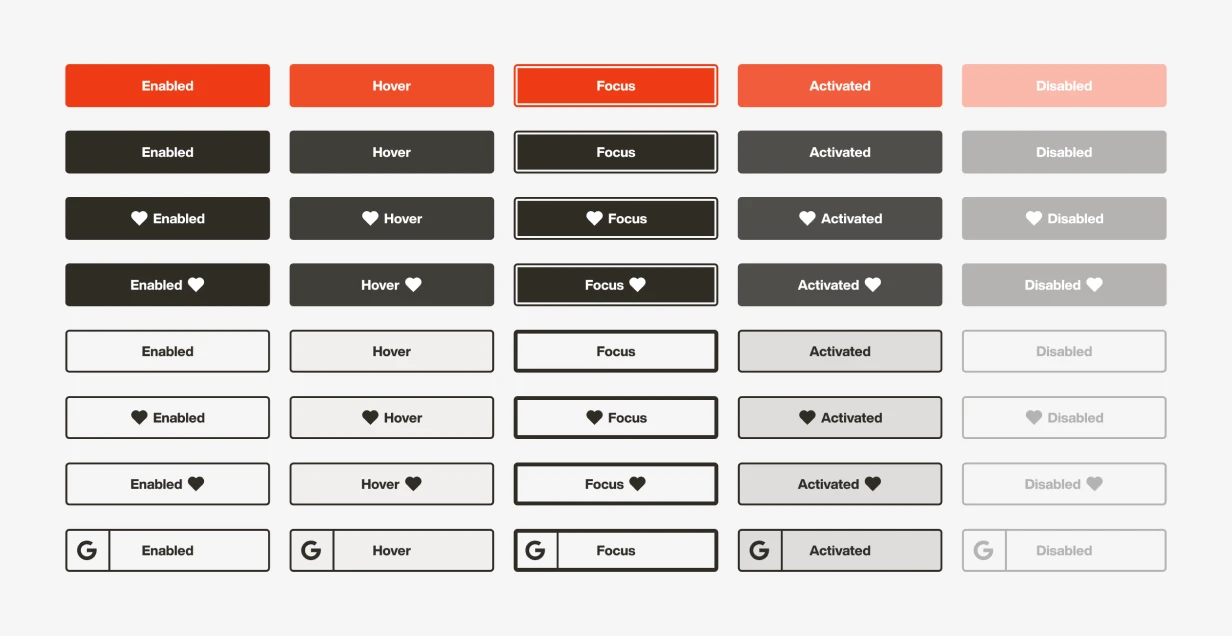
Button component overview showing primary, secondary, and high-emphasis variants across interaction states.
H2

Component System

p

We prioritized and designed 60+ core components based on usage frequency, including buttons, inputs, toggles, dropdowns, and alerts. Each component followed a shared naming convention and was documented with usage guidelines, states, and accessibility considerations.

This wasn’t a one-off initiative. The system was designed to evolve—components were continuously maintained, improved, and extended as the product matured.

H2

Complex Components

p

Larger UI patterns such as phone number input, date pickers, and modals were rebuilt using smaller atomic elements. This modular approach ensured easier maintenance and testing.
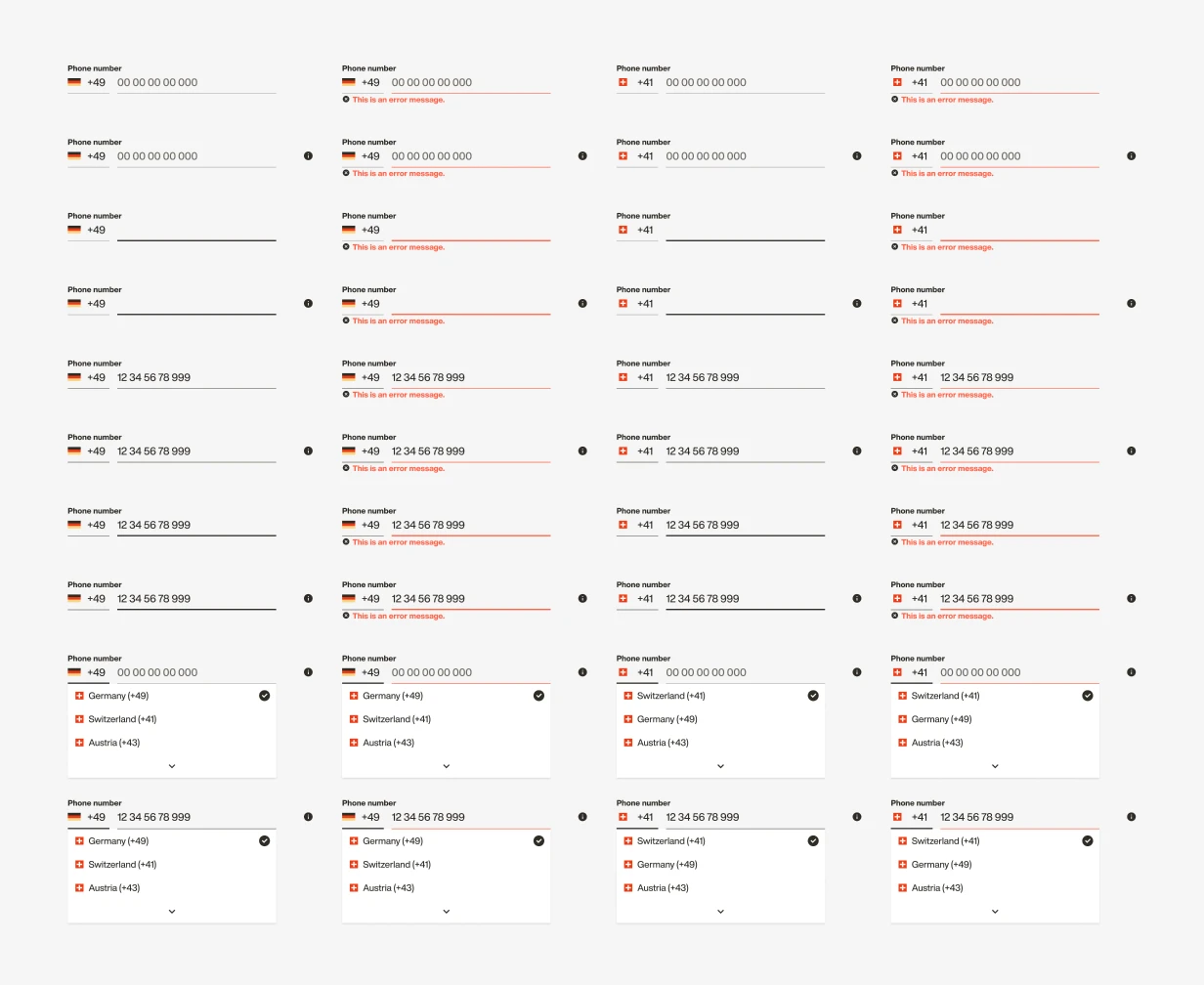
Composite phone number input component showing combined elements, dropdown selection, and interaction states.
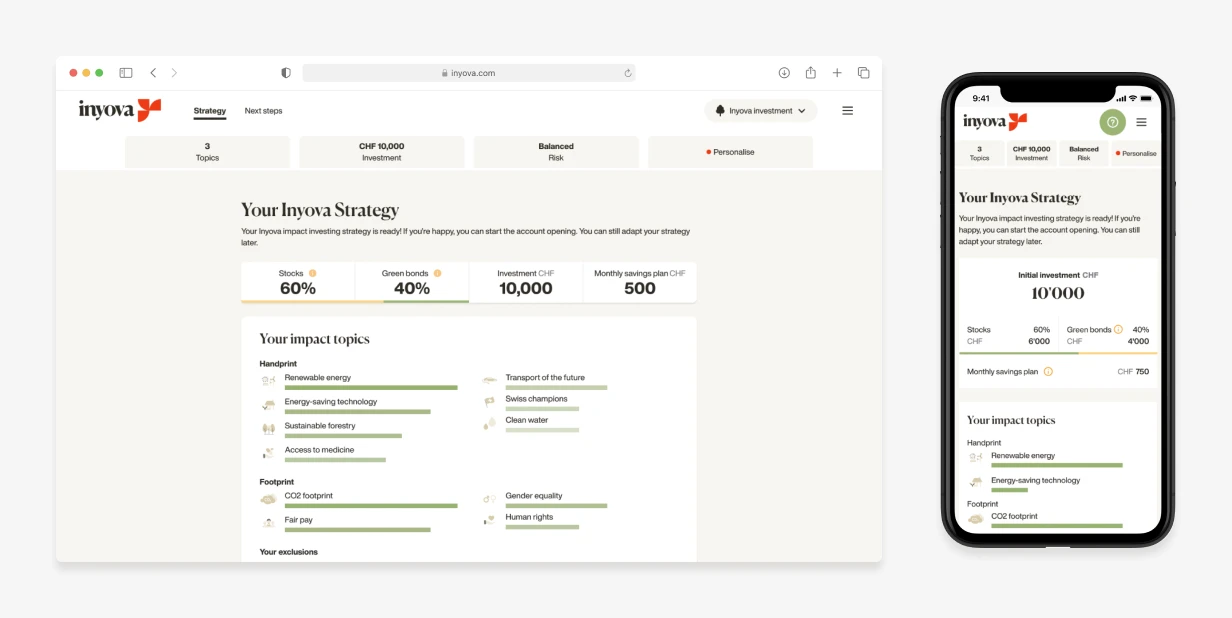
Same website page displayed on desktop and mobile web, illustrating cross-platform component reuse and layout adaptation.
H2

Cross-Platform Parity

p

The system supported both web and mobile platforms. Shared components were reused where possible; platform-specific differences were addressed through tailored versions, with consistent naming and specs.

H2

Developer Collaboration

p

 The component library was implemented gradually by the dev team in Storybook, starting with the most-used components. Designers aligned with dev naming conventions (e.g., btn-primary, input-error) to ensure clarity and smooth handoff.
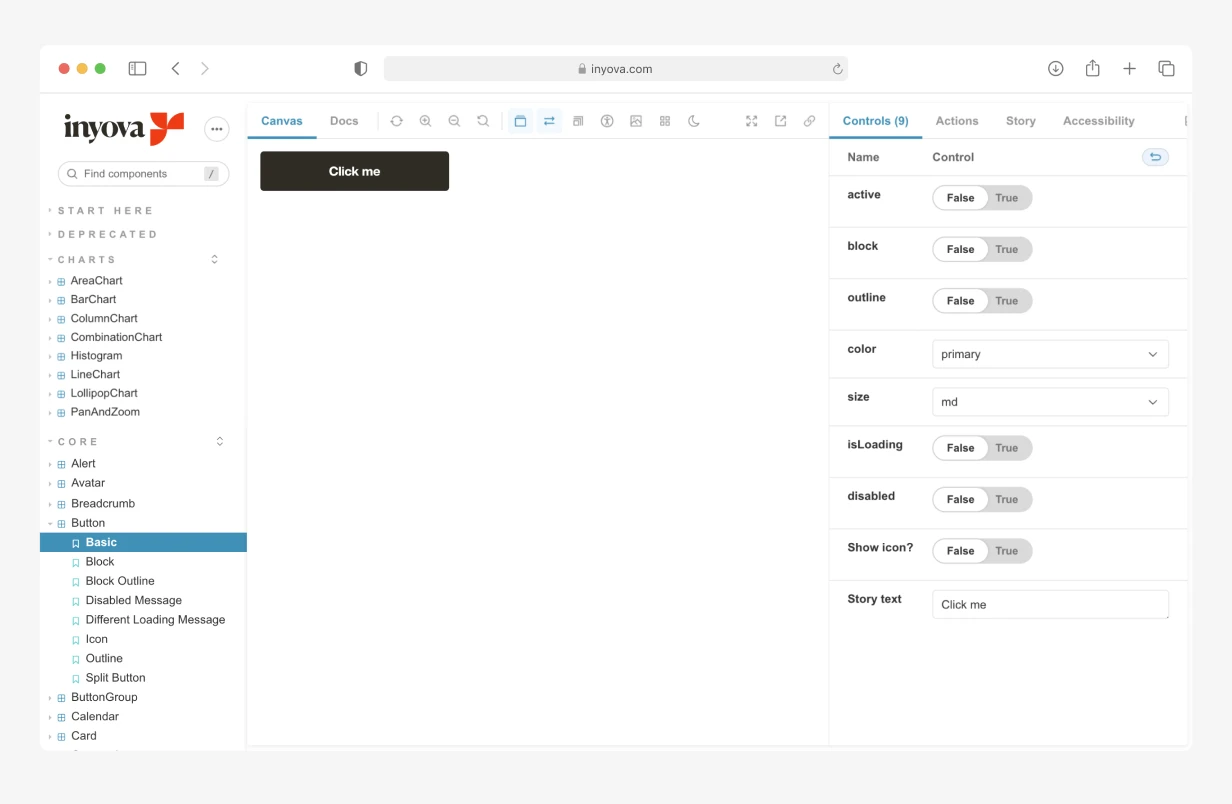
Button component documented in Storybook.
H2

Component Design Process

p

To ensure consistency, usability, and efficient handoff, every component followed a clear, structured process from prioritization to publication. Not every pattern went through every stage, but this end-to-end approach helped us deliver reliable, reusable components across products.
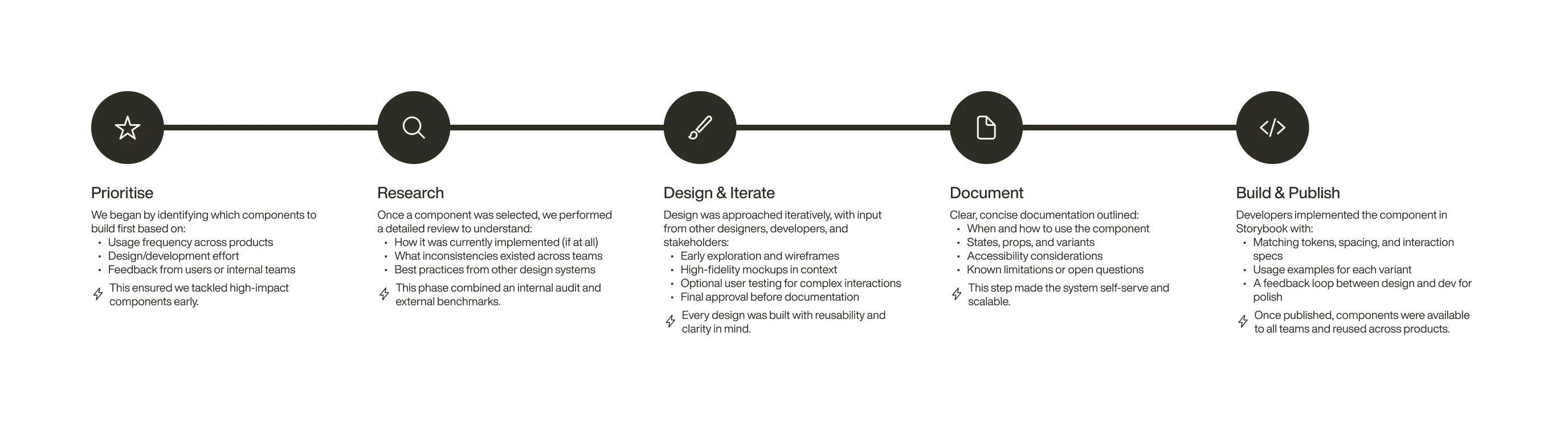
Design system component process flow showing stages from prioritisation and research through design, documentation, and publication.
H2

Impact: Before vs. After

Area

Before

After

Component library

Component library

No shared component library — each team member built components independently.

Before: No shared component library — each team member built components independently.

Unified 60+ components with standard variants.

After: Unified 60+ components with standard variants.

Design–Dev Handoff

Design–Dev Handoff

Inconsistent naming, ad hoc clarifications, each developer and designer using their own patterns.

Before: Inconsistent naming, ad hoc clarifications, each developer and designer using their own patterns.

Shared naming + Storybook docs reduced confusion + consistent component styles across the platform.

After: Shared naming + Storybook docs reduced confusion + consistent component styles across the platform.

QA Rework

QA Rework

Frequent visual bugs due to inconsistent styling.

Before: Frequent visual bugs due to inconsistent styling.

Reduced UI-related QA tickets by approximately 15% over the following releases.

After: Reduced UI-related QA tickets by approximately 15% over the following releases.

Team Efficiency

Team Efficiency

Designers and devs duplicate effort.

Before: Designers and devs duplicate effort.

System freed up time for higher-value work.

After: System freed up time for higher-value work.

Accessibility

Accessibility

Roughly 35–40% of common color combinations failed to meet WCAG AA contrast standards — especially across secondary text, hover states, and disabled buttons.

Before: Roughly 35–40% of common color combinations failed to meet WCAG AA contrast standards — especially across secondary text, hover states, and disabled buttons.

Reduced non-compliant color combinations to less than 5% by defining accessible pairings for text, background, interaction states, and brand tints.

After: Reduced non-compliant color combinations to less than 5% by defining accessible pairings for text, background, interaction states, and brand tints.

H2

Reflection & Learnings

01
H3

Resolving Design Inconsistencies

p

With multiple products already live, we encountered a wide range of component variations—some subtle, some significant. Consolidating these required deep audits, tough prioritization, and collaborative decision-making across design and development. In some cases, we had to weigh product constraints against ideal UX patterns and find practical shared solutions that could scale.

02
H3

Communicating Value to Leadership

p

One of the biggest challenges was getting leadership buy-in. From their perspective, nothing seemed broken—designs were getting shipped, and the inconsistencies weren’t blocking delivery. To overcome this, we focused on illustrating the hidden inefficiencies: duplicated work, inconsistent user experiences, and time lost in QA. We demonstrated how the system would enable faster, more consistent design and development by showing before/after comparisons, improved QA outcomes, and reduced rework.

03
H3

Maintaining a Living System

p

Unlike standalone feature work, a design system is never “done.” Components evolve alongside product needs, and maintaining quality requires ongoing collaboration, documentation, and refinement. We planned for this from the beginning—building in review cycles, feedback loops, and clear ownership to keep the system scalable and sustainable.